
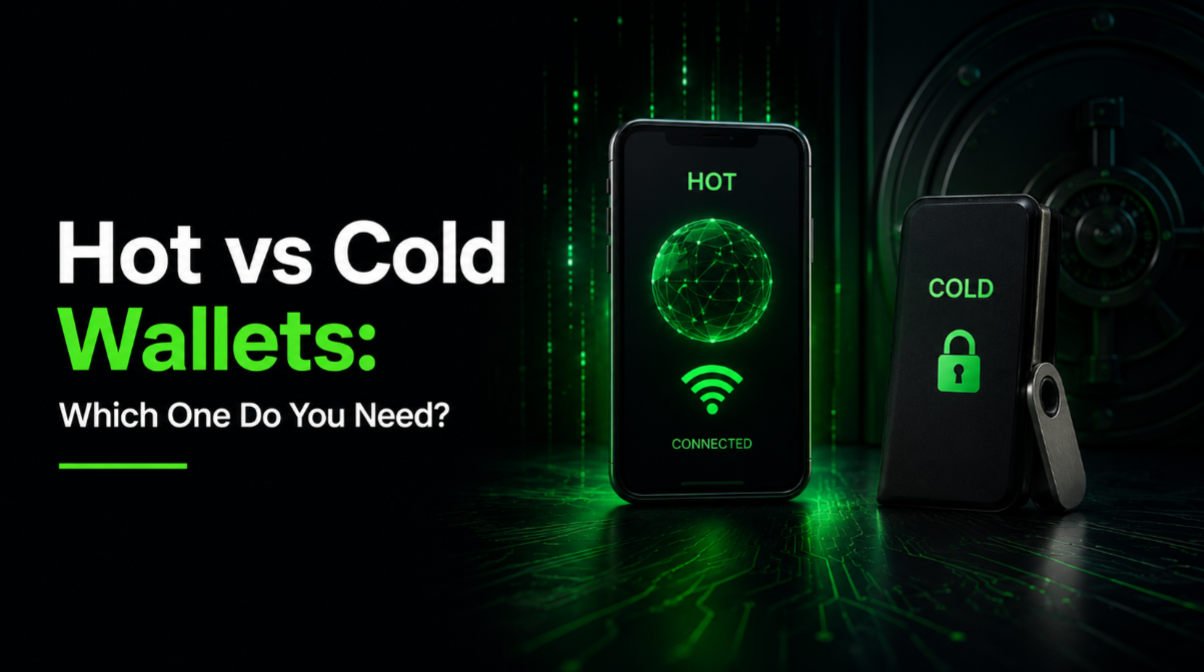
A hot wallet is any crypto wallet connected to the internet — a phone app, browser extension, or exchange account. A cold wallet stores private keys entirely offline on a dedicated hardware device. Use a hot wallet for small amounts you actively spend or trade; use a cold wallet for savings you plan to hold for months or years. Most experienced users combine both: 5–10% of holdings in a hot wallet, the rest cold. This guide covers the specific trade-offs, real product recommendations, and how to move between the two.
Hot wallets: fast, convenient, exposed
A hot wallet is software running on a device that connects to the internet. Common examples in 2026: MetaMask (browser extension for Ethereum and EVM chains), Rabby (a modern MetaMask alternative), Phantom (Solana), Trust Wallet (mobile), and every exchange account you have (Coinbase, Binance, Kraken).
The strengths of hot wallets:
- Instant access — send or receive crypto in seconds.
- Free to set up — most are free downloads.
- Integrate directly with DeFi apps, DEXs, NFT marketplaces.
- Familiar UX — feels like any other mobile or web app.
The weaknesses:
- The private keys sit on an internet-connected device. If the device is compromised, so are the keys.
- Malicious websites and drainer scripts can trick you into signing transactions that empty your wallet.
- Malware, phishing, and rogue browser extensions all target hot wallets specifically.
Hot wallets are appropriate for the crypto you actively use — a few hundred to a few thousand dollars maximum. Think of it as the cash in your physical wallet, not your bank account. For deeper reading on wallet security in general, see How to Secure Your Crypto Wallet.
Cold wallets: offline keys, deliberate use
A cold wallet is a physical device — usually about the size of a USB stick or a small phone — that generates and stores private keys entirely offline. The device never connects to the internet directly. To send a transaction, you prepare it on your computer or phone, transmit it to the device, physically approve it on the device screen, and send the signed transaction back to broadcast.
The three leading hardware wallet brands in 2026:
- Ledger — The most popular option. The Flex (2024) has a large touch screen and supports 5,500+ coins. Ledger Live is the companion app. Ledger has been operating since 2014.
- Trezor — Open-source firmware (a security advantage for advanced users). The Safe 5 is their 2026 flagship. Supports 1,600+ coins natively.
- BitBox — Swiss-made, extremely minimalist. Good option for Bitcoin-focused users who want simple, audited firmware.
For detailed side-by-side reviews and current pricing, see Hardware Wallets Explained.
The trade-offs of cold storage:
- Setup takes 15–30 minutes.
- Every transaction requires the physical device — inconvenient if it is in a safe deposit box.
- Costs $70–$250 depending on model.
- You must never lose the recovery seed phrase — see backup rules below.
Side-by-side comparison
The trade-offs at a glance:
- Speed: Hot wallet — instant. Cold wallet — 1-2 minutes per transaction.
- Cost: Hot wallet — free. Cold wallet — $70-$250 one-time.
- Attack surface (remote): Hot wallet — high. Cold wallet — near zero.
- Attack surface (physical): Hot wallet — low. Cold wallet — moderate (theft, tampering).
- User error risk: Both — high. Losing a seed phrase means losing everything, regardless of wallet type.
- Recommended amount: Hot wallet — spending money, under ~$1,000. Cold wallet — savings, $1,000+.
- DeFi/DApp compatibility: Hot wallet — native. Cold wallet — works, but slower.
When to use which — three real scenarios
Scenario 1: Absolute beginner, $200 in Bitcoin.
A hot wallet on your phone (BlueWallet or Trust Wallet) is fine. The security overhead of a hardware wallet is not worth it at this scale, and the risk of user error is higher than the risk of a hack. Focus on learning good habits: enable 2FA everywhere, back up the seed phrase properly, do not share it.
Scenario 2: Active DeFi user, $5,000 in a MetaMask wallet.
Get a hardware wallet immediately. Connect the hardware wallet to MetaMask (yes, this is supported and easy) so you still use the same DeFi apps, but every transaction requires physical approval on the device. This is the standard setup for anyone spending time in DeFi.
Scenario 3: Long-term holder, $50,000+ in Bitcoin and Ethereum.
Two hardware wallets from different brands (e.g., Ledger + Trezor). Split holdings between them. Store the two seed phrases in two physically separate secure locations. For very large holdings, use a multi-signature setup requiring 2 of 3 devices to sign — this eliminates single-point-of-failure risk.
For the multi-sig approach, see our upcoming Multi-Sig Wallets Explained guide.
The seed phrase: the actual thing you are protecting
The physical hot or cold wallet device is not really what "holds" your crypto. Your keys are derived from a 12- or 24-word seed phrase generated when you first set up the wallet. Whoever has the seed phrase controls the wallet — regardless of what device is being used.
The rules that matter:
- Write the seed phrase on paper (or metal) in the exact word order. No digital copy, ever.
- Store two paper copies in two physically separate locations — house safe and safe deposit box, for example.
- Never type your seed phrase into any website or app other than the wallet setup screen that generated it.
- Never take a photo. Cloud backup services scan photos for seed phrases and thieves have automated tools that find them.
- Test recovery once: buy a second cheap wallet, restore from the seed phrase, verify the same address appears. Then wipe the second device.
For a full playbook on seed phrase security including metal backups, passphrase considerations, and heirloom transfer, see Seed Phrase Security: The Ultimate Guide.
Common mistakes with both wallet types
These recurring mistakes account for the vast majority of self-custody losses:
- Reusing browser extensions across profiles. If a compromised website exploits a vulnerability in one profile, it can potentially access wallets in other profiles.
- Approving unlimited token spend. DeFi protocols often ask to "approve" your token for their contract. If you approve unlimited amount, a compromised contract can drain that token later. Approve only what you need.
- Buying hardware wallets from marketplaces. Never buy from Amazon, eBay, or third-party retailers. Buy only from the manufacturer's official website. Tampered devices have real, deployed exploits.
- Storing the seed phrase in a password manager. Convenient, but if the password manager is compromised, the crypto is gone. Paper (or metal) stored offline is the standard.
- Sharing the wallet address publicly for donations. Fine for creators, but understand: anyone can see the balance and transaction history of that address forever. Use a fresh address for privacy.
What to do this week if you are still on an exchange
If you have crypto sitting on an exchange right now, here is the practical migration path:
- Buy a hardware wallet from the official manufacturer website. Wait for delivery — do not rush this.
- Set it up in a private space. Write the seed phrase on the provided card. Do not photograph it.
- Send a tiny test transaction from the exchange to the hardware wallet. Verify it arrives.
- Once confirmed, send the rest of the holdings in one or two transactions.
- Store the seed phrase card in a secure, private location — a home safe or safe deposit box.
- Wipe the wallet, restore from seed phrase on the same device, verify the same address appears. This proves the backup works.
This whole process takes an evening. The alternative — leaving significant holdings on an exchange — is one exchange failure or breach away from total loss. For a broader treatment of exchange risk, see our best crypto exchanges 2026 guide, which covers proof-of-reserves and platform security.
The bar for taking self-custody seriously is not a certain dollar amount. It is the moment you realise the crypto matters to you. If losing it would sting, secure it properly today, not "later."
Continue learning: Hardware Wallets Explained · Seed Phrase Security: The Ultimate Guide · How to Secure Your Crypto Wallet.

