
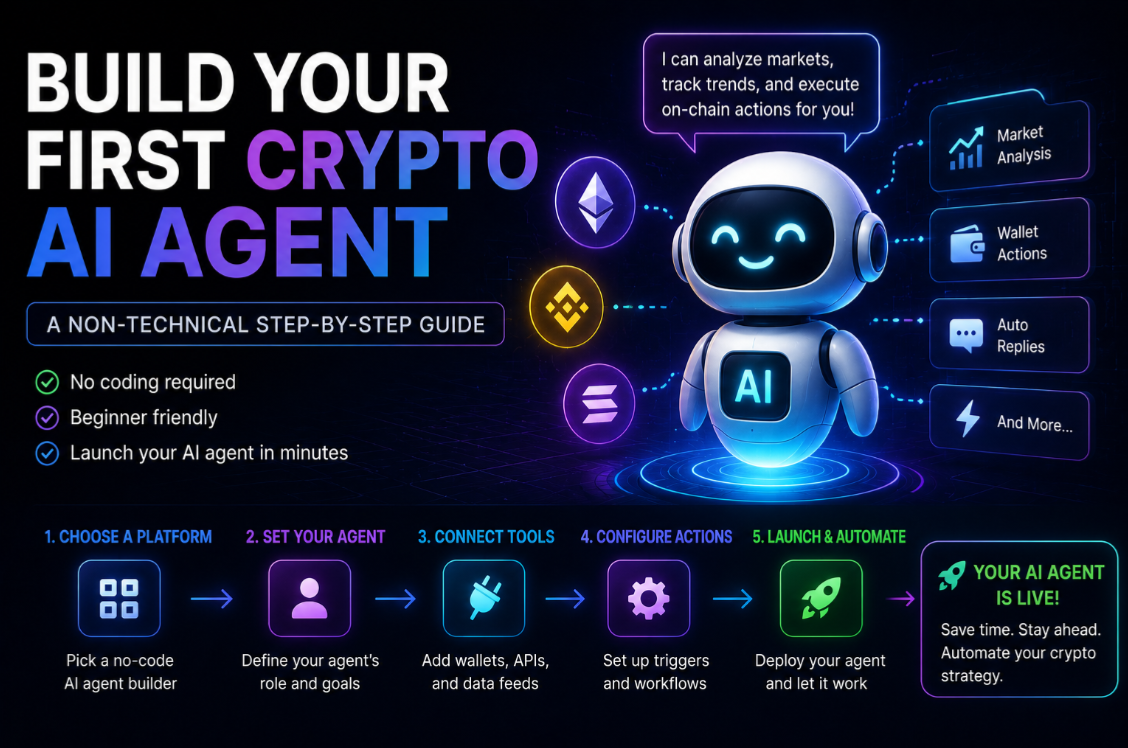
What is a crypto AI agent and why does it matter?
A crypto AI agent is a software program that can perceive information, make decisions, and take actions — including on-chain transactions — without a human pressing the button for each step. Think of it as a personal financial assistant that never sleeps, reads every market signal, and executes trades or strategies automatically within rules you define.
The concept sounds futuristic, but practical AI agents are already running today. Some monitor wallets and alert you to suspicious activity. Others automatically harvest yield farm rewards and reinvest them. The most advanced can research new projects, assess risk, and allocate capital autonomously.
What you need before you start
You do not need to write a single line of code to run a basic crypto AI agent. You need:
- A non-custodial wallet (MetaMask, Phantom, or Rabby) with a small amount of the blockchain's native token for gas fees.
- Access to an agent framework or platform (no-code options are covered below).
- A clear definition of what you want the agent to do — the more specific the instruction, the better the output.
- An understanding of the risks: an agent with wallet access can make mistakes that are irreversible on-chain.
Choosing the right agent platform
Several platforms now let non-technical users deploy AI agents without writing code. Each makes different trade-offs between capability, safety, and ease of use.
- Fetch.ai Agentverse: a hosted platform where you can configure agents using natural language instructions and connect them to on-chain actions. Track FET for ecosystem activity.
- Virtual Protocol: specialises in AI agents with distinct personalities and token incentives, primarily for gaming and social contexts. Virtual Protocol market data.
- NEAR AI Hub: NEAR Protocol's developer environment for AI agents, with tutorials and pre-built templates targeting non-technical users. NEAR ecosystem data.
- Bittensor Corcel: a product layer built on Bittensor's subnet network, offering AI APIs and agent interfaces for end users who do not want to interact with the protocol directly. TAO market data.
Step 1: Define the agent's goal precisely
The most common mistake when setting up an AI agent is giving it a vague instruction like "make money" or "find good crypto investments." An agent needs a specific, measurable goal with clear boundaries.
Good agent goals look like:
- "Monitor my wallet and send me a Telegram alert if any outgoing transaction exceeds $500."
- "Check the RENDER/USDT price every hour and alert me if it drops more than 10% in a 24-hour window."
- "Every Sunday, claim staking rewards from my Fetch.ai delegation and re-stake them automatically."
- "Research the top 3 trending tokens by social volume today and write a one-paragraph summary of each."
Step 2: Set permissions and spending limits
This is the most critical safety step. An agent that can execute transactions needs explicit permissions for what it can and cannot do. Think of it like setting up a delegated authority at a bank — you specify the maximum amount it can move per transaction and per day.
- Set a maximum transaction size (e.g. no single transaction above 0.1 ETH).
- Restrict the agent to specific contracts or protocols you have vetted.
- Use a dedicated agent wallet with limited funds — never give an agent access to your main holdings wallet.
- Require a confirmation step for any action above a threshold you define.
Most no-code agent platforms provide these controls in their setup wizard. Take your time with this step — rushing past it is how people lose funds to misconfigured agents.
Step 3: Connect data sources
An agent is only as good as the information it can access. Most agent platforms support connecting to:
- Price feeds (CoinGecko, Chainlink, Pyth Network) for real-time market data.
- On-chain data APIs (Dune Analytics, The Graph) for protocol metrics.
- Social sentiment feeds (LunarCrush, Santiment) for community activity.
- Your own wallet data via a read-only API key or wallet connection.
- News APIs for monitoring project announcements.
Connect the minimum data sources needed for the specific goal. More data connections increase complexity and potential failure points.
Step 4: Test on a testnet first
All major blockchains have testnets — parallel networks that use fake tokens with no real value. Always test your agent on a testnet before connecting it to any real-money wallet.
Run the agent on the testnet for at least 48–72 hours, covering different market conditions if possible. Check every action log to verify the agent is doing exactly what you intended. Look for edge cases: what does it do if the price feed is unavailable? What happens if a transaction fails?
Step 5: Deploy with a small initial allocation
After testnet validation, deploy on mainnet with the smallest allocation that lets you meaningfully test the agent — typically $50–$200 for a basic monitoring or yield automation agent. Run it for two weeks before increasing the allocation.
Keep a separate monitoring view open. Most agent platforms have an activity log; review it daily in the first week. An agent that behaves correctly 95% of the time but fails catastrophically on the 5% cases can wipe its wallet quickly.
Understanding agent fees and running costs
Running an AI agent on a blockchain costs money in two ways: platform subscription or per-query fees charged by the agent framework, and on-chain gas fees for every transaction the agent executes.
- Fetch.ai charges small FET fees for agent interactions on the network.
- NEAR Protocol charges extremely low gas (fractions of a cent per transaction), making it cost-efficient for high-frequency agents.
- Ethereum-based agents pay significantly more in gas, which can erode returns on small automation tasks.
- Many platforms offer a free tier for low-frequency agents that only monitor and alert without executing transactions.
The Render and Akash compute connection
AI agents that do more than simple rule-based automation — agents that use language models to reason about market data or generate research — need compute to run their AI inference step. Decentralised compute networks like Render and Akash are emerging as a cost-effective way to host these heavier workloads.
Render Token powers a decentralised GPU network originally built for 3D rendering that now handles AI inference. Running your agent's reasoning layer on Render rather than AWS can reduce costs by 60–80% for non-time-critical inference tasks.
What not to do with a crypto AI agent
- Never give an agent your seed phrase or private key directly — use delegated signing permissions where the agent can sign specific transaction types only.
- Do not deploy an agent that can arbitrage or trade at high frequency without extensive testing. Flash loan attacks often target exactly the kinds of patterns automated agents create.
- Do not connect an agent to your main wallet. Always use a purpose-built agent wallet with limited funds.
- Do not assume the agent will handle unusual situations correctly. Edge cases in smart contract interactions can behave very differently from what a language model predicts.
AI agents that interact with real assets carry financial risk. This guide is for educational purposes only. Start small, test thoroughly, and never allocate more than you can afford to lose.