What is a seed phrase and why it controls everything
A seed phrase — also called a mnemonic or recovery phrase — is a sequence of 12 or 24 words generated by your wallet when you first set it up. These words encode the master private key from which every address and every private key in your wallet is mathematically derived. Anyone who holds your seed phrase has complete, irrevocable access to every asset in that wallet, on every blockchain it supports, forever.
Unlike a password, a seed phrase cannot be reset, changed, or recovered by contacting support. There is no company, no administrator, no helpdesk. If you lose your seed phrase and your device fails at the same time, your funds are gone. If someone else obtains your seed phrase, your funds are gone. This is not a flaw — it is the deliberate design of self-custody. Understanding it is the first step to protecting yourself.
Why digital storage of seed phrases is dangerous
The most common mistake people make is storing their seed phrase digitally: in a screenshot, a notes app, an email draft, a cloud document, or a password manager. Every one of these attack surfaces has led to real losses.
- Screenshots: Automatically synced to iCloud or Google Photos. Any app with photo library access can read them. Cloud accounts are routinely phished and hacked.
- Notes apps: Apple Notes, Google Keep, Notion, Evernote — all cloud-synced by default. A single compromised cloud login exposes every note.
- Email drafts: Email accounts are the single most targeted credential category. A breach of your email means all saved drafts are exposed.
- Password managers: Better than the above, but still a single point of digital failure. A zero-day in LastPass (which occurred in 2022) or Bitwarden could expose vault contents.
- Plain text files: Any malware with file system access will harvest .txt, .doc, and similar files automatically. Ransomware operators routinely sell harvested credentials before encrypting.
The rule is simple: your seed phrase should never exist in digital form. Not temporarily, not "just to copy it", not as a backup precaution.
Steel and titanium: fire-resistant physical backup
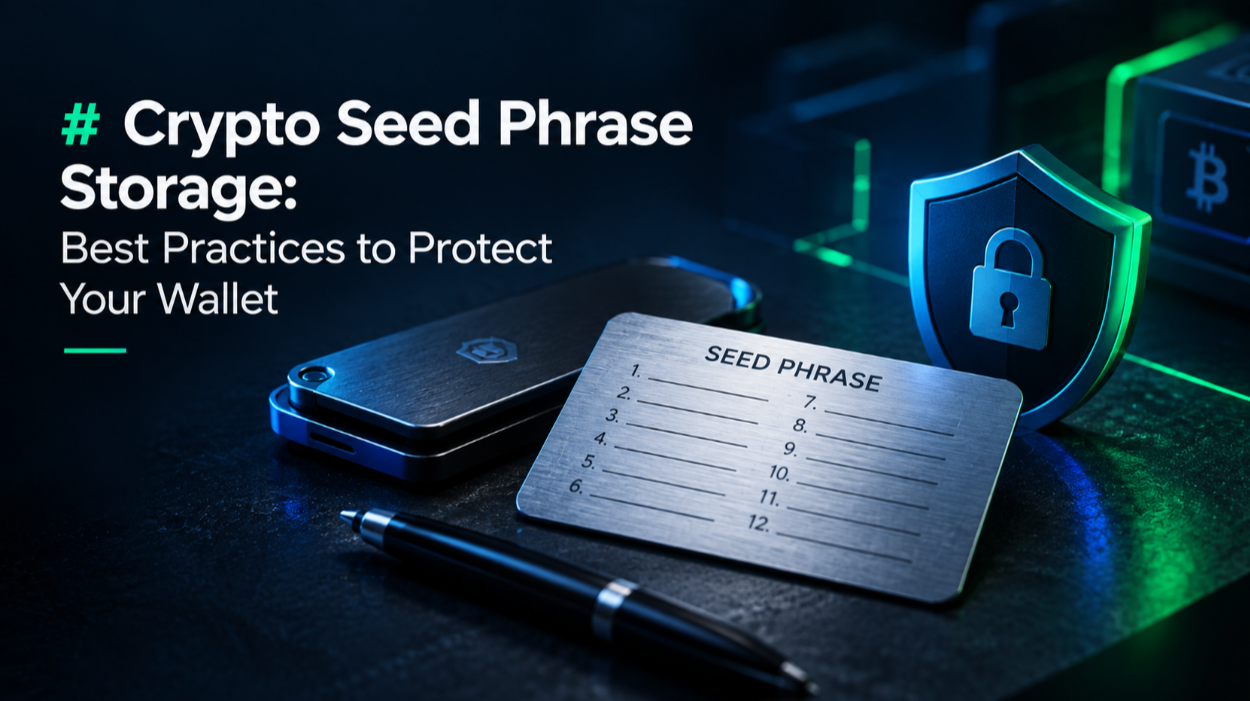
Paper is the most common seed phrase backup medium and the most fragile. A house fire, flood, or even a spilled coffee can destroy it. For long-term storage, metal backup solutions are the gold standard.
Products like Cryptosteel Capsule, Bilodal, and Cryptotag Zeus let you stamp or engrave your seed words onto stainless steel or titanium plates. These resist temperatures up to 1,400°C (well above typical house fires) and are waterproof. The Ledger hardware wallet review covers how Ledger's ecosystem recommends metal backup solutions alongside their devices.
- Cryptosteel Capsule: Letter tiles inserted into a steel cylinder. Reassemblable, tamper-evident. Around $90.
- Cryptotag Zeus: Titanium plates stamped with individual letters. Fireproof and corrosion-proof. Around $100–$130.
- Bilodal Steel: Folding steel wallet with punch-stamp system. Compact and affordable at around $50.
- DIY stainless: Some users engrave or punch words onto standard stainless washers from a hardware store. Less polished but equally fire-resistant.
Where to physically store your seed phrase backup
Having a steel backup is only half the solution. Where you store it matters equally. A seed phrase kept in the same location as your hardware wallet creates a single point of physical failure — a burglar who finds the wallet likely searches the same drawer for the recovery phrase.
- Home safe: A fireproof, bolted-down safe is a solid first layer. Ensure it is bolted to the floor or a wall stud, not just placed. A $50 portable safe offers almost no protection — it can be grabbed and opened later.
- Bank safe deposit box: High security, fireproof, flood-proof. The trade-off is that access requires visiting the branch during business hours, and boxes in jointly-held accounts may be frozen during estate disputes.
- Geographic distribution: Splitting the backup across two physically separate secure locations (e.g., home safe + parent's safe deposit box) means neither location alone exposes your funds.
- Trusted family member: A sealed envelope with a second copy held by a trusted person you would name in a will. Ensure they understand not to open it unless something happens to you.
Shamir's Secret Sharing: splitting without compromise
Shamir's Secret Sharing (SSS) is a cryptographic method that splits a secret into N shares, of which any M are needed to reconstruct it (M-of-N). For a seed phrase, this means you can split it into 3 shares and require any 2 to recover — so no single share exposes your funds.
SLIP-39 is the standard for SSS seed phrase splitting, supported by the Trezor Model T and Trezor Safe 3. Trezor calls this feature Shamir Backup. You generate the shares directly on the device and distribute them to separate secure locations. If one location is compromised or destroyed, your funds are safe. Only when an attacker holds the threshold number of shares is there risk.
Passphrase (25th word): an additional layer
Most hardware wallets support an optional BIP-39 passphrase — sometimes called the 25th word. This is a user-defined string (any characters, any length) that is combined with your seed phrase to derive a completely different set of wallet addresses. Without the passphrase, the seed phrase alone accesses an empty decoy wallet.
The practical benefit: if your 24-word seed phrase is stolen, the attacker finds a wallet with little or no funds (your "plausible deniability" wallet). Your real funds live under the seed phrase + passphrase combination. The passphrase must be memorised or stored separately from the seed phrase — never written on the same page.
Multi-location and inheritance planning
Self-custody creates a serious inheritance problem: if you die or are incapacitated, your family may be unable to access your crypto. Seed phrase security must account for this.
- Leave clear written instructions (not the seed phrase itself) about where to find your backup and how to use it.
- Consider a solicitor-held envelope opened only after death, as part of your will.
- Services like Vault12 and Safe Haven offer crypto inheritance solutions with social recovery.
- For large holdings, a professional custody service with explicit estate planning is worth considering.
Common mistakes that lead to seed phrase loss or theft
- Typing seed phrase into any website: Legitimate hardware wallet makers and software wallets never ask for your seed phrase online. Any website asking for it is a phishing attack.
- Storing it in the same bag as your hardware wallet: A mugging or theft would expose both the device and the recovery phrase simultaneously.
- Single location only: Fire, flood, or burglary can eliminate your only backup. Always have a geographically separate copy.
- Photographing the device screen during setup: A photo synced to cloud is as dangerous as typing it into a note.
- Trusting a "secure" app: Multiple "encrypted seed phrase" apps have been found to send data to remote servers. Never trust a third-party app with your phrase.
Hardware wallets and seed phrase generation
Your seed phrase is only as trustworthy as the device and process that generated it. A seed phrase generated on a compromised computer is compromised from birth. Always generate your seed phrase on a hardware wallet — a dedicated, air-gapped device whose sole purpose is cryptographic key management.
Both the Ledger and Trezor product lines generate seed phrases in their secure element or microcontroller, never exposing them to the connected computer. Check our hardware wallet ratings for a full comparison of security certifications and generation processes across major models.
Testing your backup before you need it
Seed phrase backups that have never been tested are assumptions, not insurance. You should verify your backup works before you store significant funds.
The safest test: set up a brand new wallet on your hardware device, write down the seed phrase, transfer a small amount to it, then perform a full factory reset, and restore using only your written backup. If your funds are accessible after restoration, your backup is valid. Do this process for every new wallet you create.
What to do if you think your seed phrase has been compromised
If you have any reason to believe your seed phrase has been seen by someone else — you photographed it, the photo may have synced, or someone was near when you wrote it down — act immediately. Create a new wallet on a fresh hardware device, generate a new seed phrase, and transfer all funds to the new wallet as quickly as possible. Do not wait to investigate first. Assume compromise and move funds.
This article is for educational purposes only. Not financial advice. Crypto carries significant risk of loss. Always conduct your own research.