Defining hot wallets and cold wallets
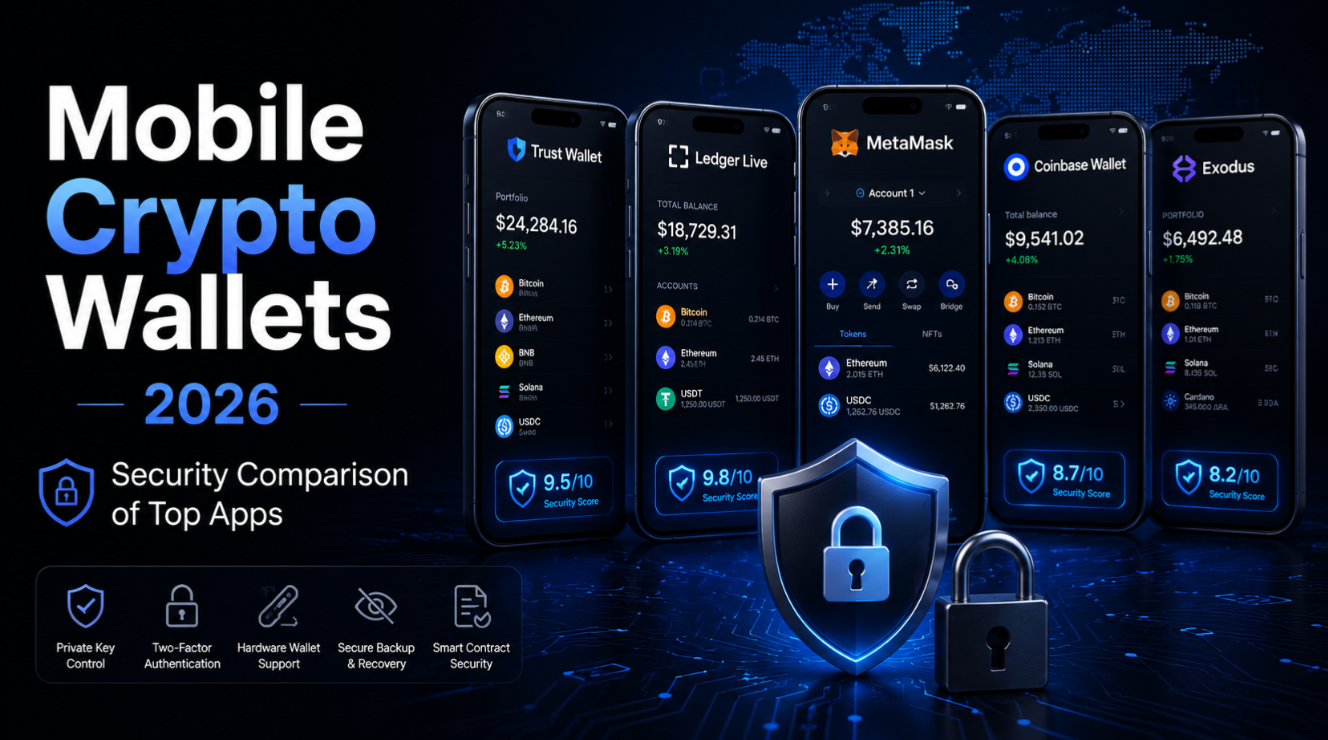
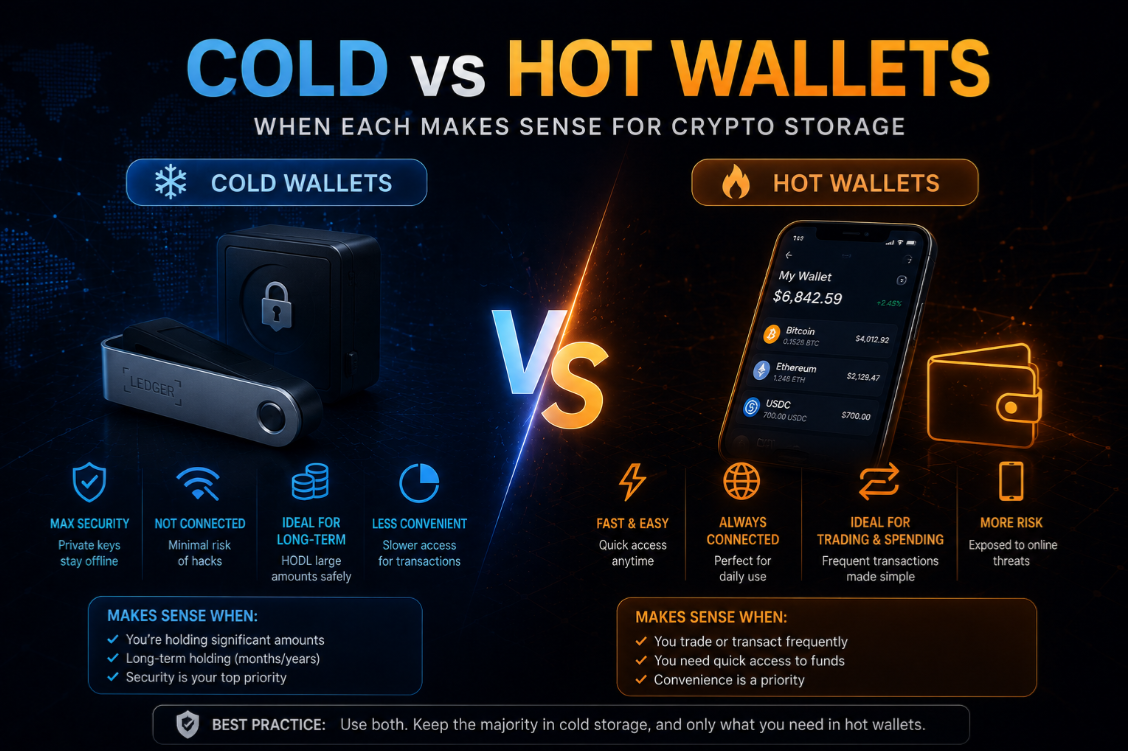
The terms hot and cold refer to a wallet's connection to the internet. A hot wallet is a wallet whose private key is stored on a device with regular internet connectivity — a browser extension like MetaMask, a mobile app like Trust Wallet, or a desktop application. A cold wallet stores private keys on a device that is either never connected to the internet or only briefly and deliberately connected at the moment of signing.
The terminology matters because internet connectivity is the primary attack surface for crypto wallets. Malware, phishing, supply chain attacks, and remote exploits all require some form of network access to the key. Cold storage removes this attack vector by design.
Hot wallets: types and use cases
Hot wallets include browser extensions (MetaMask, Rabby), mobile apps (Phantom, Trust Wallet), and desktop applications. They are always ready to sign transactions, connect to dApps, and display real-time balances. For active DeFi users, hot wallets are the operational layer — interacting with Uniswap, Aave, or any on-chain protocol requires a hot wallet connected to the dApp.
- Browser extension wallets: MetaMask, Rabby — best for EVM DeFi, dApp interaction, desktop-first.
- Mobile wallets: Trust Wallet, Phantom — best for daily use, QR scanning, NFT browsing.
- Exchange wallets: Coinbase, Kraken — custodial hot wallets; convenient but not self-custody.
- Smart contract wallets: Coinbase Smart Wallet, Argent — hot wallet UX with programmable security rules.
Cold wallets: hardware devices and air-gapped setups
The most practical cold storage solution for most users is a hardware wallet — a dedicated physical device that stores private keys in a secure element chip isolated from the host computer. Ledger (Nano X, Flex) and Trezor (Model T, Safe 5) are the market leaders. Keys are generated on-device and never leave the secure element — even when the device is plugged into a compromised computer, the keys cannot be extracted.
Our Ledger review provides a detailed breakdown of Ledger's security architecture, supported chains, and setup process. For Ledger and Trezor head-to-head comparison, our wallet ratings page ranks both by security, usability, and chain support.
Air-gapped wallets — the extreme end of cold storage
Air-gapped cold storage uses a device that has never been and will never be connected to the internet. Transaction signing happens fully offline: the unsigned transaction is transferred to the air-gapped device via QR code or USB drive, signed offline, and the signed transaction is transferred back via QR code or USB for broadcast. Devices like the Passport (Foundation) and Keystone are purpose-built for air-gapped operation.
Air-gapped setups eliminate the attack surface entirely — there is no Bluetooth, no USB driver, no network stack for an attacker to exploit. The trade-off is significant UX friction: every transaction requires manual QR scanning or file transfer. Air-gapped storage is appropriate for large Bitcoin holdings in long-term cold storage, not for active DeFi interaction.
Paper wallets and brain wallets: historical context
Paper wallets (printed private keys or seed phrases) and brain wallets (memorised private keys) are historical cold storage methods. They are not recommended in 2026. Paper degrades, burns, floods, and has no redundancy. Brain wallets fail under pressure, illness, or death. Both lack the transaction signing security of hardware wallets — to spend from a paper wallet, you import the key into software, instantly converting it to a hot wallet.
The risk profile of hot vs cold wallets
- Malware risk: Hot wallet — high (keyloggers, clipboard hijacking, browser exploits). Cold wallet — eliminated (keys never touch networked device).
- Phishing risk: Hot wallet — high (fake dApp approvals, fake seed entry screens). Cold wallet — greatly reduced (device screen shows exact transaction before signing).
- Physical theft risk: Hot wallet — low (keys are encrypted, attacker needs PIN). Cold wallet — low (secure element PIN protection, passphrase option).
- Seed phrase backup risk: Equal for both — a stolen backup gives full access to either wallet type.
- Convenience: Hot wallet — instant, 24/7. Cold wallet — requires physical device, adds 30–60 seconds per transaction.
- DeFi usability: Hot wallet — native. Cold wallet — usable but requires hardware connection for each transaction.
When a hot wallet is the right choice
Hot wallets are the right choice for operational funds — crypto you actively use for DeFi, payments, NFT trading, or regular transactions. The security trade-off is acceptable for amounts you would be prepared to lose entirely to an exploit or hack. A practical threshold: keep no more than one to two weeks of DeFi activity value in hot storage.
For active traders and DeFi users, a hardware wallet in hot mode (Ledger connected to Rabby or MetaMask) is a middle ground — hardware key security with hot wallet convenience. Transactions require a button press on the hardware device to confirm, but the device remains connected. This setup combines the best of both worlds for daily DeFi use.
When cold storage is essential
Cold storage is essential for savings — crypto you do not intend to spend or trade in the near term. The threshold is subjective but a common benchmark is any amount that would meaningfully affect your financial situation if lost. For most people, this is somewhere between $5,000 and $20,000 depending on their circumstances.
Institutional holders, funds, and long-term HODLers should use cold storage exclusively for long-term positions. Multi-sig cold storage (Safe with hardware wallet signers) is the standard for any amount above $100,000. The marginal inconvenience of cold storage is trivially small compared to the risk of losing a significant sum to a hot wallet compromise.
Combining hot and cold wallets: the tiered custody model
The recommended approach for anyone with meaningful crypto holdings is tiered custody — multiple wallets for different purposes and risk tolerances:
- Hot operational wallet: MetaMask or Rabby for active DeFi. Small amounts only. No savings here.
- Warm wallet: Ledger hardware wallet connected to desktop for regular DeFi with hardware signing. Mid-range holdings.
- Cold storage: Ledger or Trezor kept offline. Savings and long-term holdings. Accessed only for large movements.
- Deep cold (for large holdings): Multi-sig Safe with hardware wallet signers. Institutional-grade security.
Setting up cold storage: practical steps
- Buy hardware wallet directly from manufacturer — never second-hand or from third-party resellers.
- Verify the device is sealed and not pre-configured (no pre-written seed phrase in box).
- Generate new seed phrase on device — never import an existing seed from a hot wallet.
- Write seed phrase on paper with a permanent marker — no pencil, no digital copy.
- Store seed phrase copies in at least two physically separate locations.
- Test recovery by resetting the device and restoring from seed phrase before depositing any funds.
- Enable passphrase option for an additional layer of protection on large holdings.
MetaMask review and cold wallet pairing
MetaMask can be paired with a Ledger or Trezor hardware wallet, turning your browser extension into a signing interface backed by cold storage keys. In this configuration, MetaMask shows your portfolio and connects to dApps, but every transaction requires physical confirmation on the hardware device. This is the most popular security upgrade for experienced DeFi users. For MetaMask alternatives that offer better security features, see our Rabby review and MetaMask review.
Cold storage is an insurance policy for your crypto holdings. The small inconvenience of using a hardware device is trivial compared to the consequences of a hot wallet compromise. Not financial advice.