Why hardware wallets are non-negotiable in 2026
Software wallets are convenient, but they share a fundamental weakness: the private key lives on a device that is connected to the internet. One compromised browser extension, one phishing link, one piece of clipboard-hijacking malware — and your funds are gone. Hardware wallets solve this by moving key storage onto a dedicated, isolated chip that never exposes the private key to the host computer.
In 2026 the stakes are higher than ever. Bitcoin alone crossed $150,000 and Ethereum DeFi TVL exceeded $200 billion. Holding even a modest portfolio in a hot wallet is increasingly reckless. A hardware wallet costing $150–$250 protects assets worth orders of magnitude more, making it one of the best risk-adjusted purchases in crypto.
This guide covers every major hardware wallet on the market in 2026 — how they work, what sets them apart, and which one fits your specific situation.
How hardware wallets work: secure elements and air gaps
Every hardware wallet performs one core function: it signs transactions in an isolated environment so the private key never leaves the device. Two dominant architectures achieve this in different ways.
Secure Element (SE) chips
A Secure Element is a tamper-resistant microcontroller certified to standards like Common Criteria EAL5+ or EAL6+. It stores the private key and executes cryptographic operations internally. The host computer sends an unsigned transaction; the SE signs it internally and returns only the signed output. Even if the entire host system is compromised, the attacker never sees the key. Ledger Nano X, Ledger Stax, and Trezor Safe 5 all use SE chips.
Air-gapped devices
Air-gapped hardware wallets take isolation further by eliminating every wired and wireless connection. Communication happens exclusively via QR codes: the companion software wallet displays an unsigned transaction as a QR code, the device scans it, signs internally, and shows the signed QR for the software wallet to broadcast. Keystone 3 Pro and NGRAVE Zero use this approach. There is no physical attack surface — nothing to exploit via USB firmware injection or Bluetooth sniffing.
Both architectures provide strong security. The choice between them comes down to workflow preference: SE devices are faster and more convenient; air-gapped devices eliminate the last theoretical connection-based attack vectors.
Ledger Nano X and Ledger Stax: best overall hardware wallets
Ledger remains the largest hardware wallet manufacturer by installed base. The Nano X ($149) is the practical workhorse: CC EAL5+ secure element, Bluetooth for mobile use with Ledger Live, USB-C, and support for over 5,500 coins. The Stax ($279) adds a curved E Ink touch screen and a premium form factor — it is the better choice if you frequently review transaction details on the device.
Ledger Live, the companion app, handles staking, DeFi access, NFT management, and in-app swaps. This tight integration is a significant usability advantage over competitors that rely on third-party interfaces.
The caveat worth understanding: in 2023 Ledger introduced an optional "Recover" service that could shard and escrow a seed phrase via the firmware. Many security researchers objected. Ledger clarified the feature is strictly opt-in and the firmware architecture has not changed. The hardware itself has no known exploits after more than a decade of independent audits.
Full review: Ledger review.
Trezor Safe 5: best open-source hardware wallet
Trezor's entire stack — hardware schematics, firmware, and companion app — is open source and has been audited by multiple independent security firms. The Safe 5 ($169) introduces a secure element (Microchip ATECC608B) for the first time in Trezor's product line, addressing the longstanding criticism that earlier models relied solely on a general-purpose microcontroller.
The color touch screen makes transaction verification straightforward. Coin support covers approximately 8,000 assets. Trezor Suite, the desktop and browser companion, is clean and comprehensive — hardware wallet setup, coin management, privacy features (Coinjoin for Bitcoin), and Tor routing all in one interface.
Trezor by design omits Bluetooth and any wireless connectivity. This reduces the attack surface at the cost of mobile convenience. For users who consider any wireless transmission a risk, that trade-off is a feature, not a limitation.
Full review: Trezor review.
BitBox02: best for Bitcoin-only holders
Manufactured by Shift Crypto in Zurich, the BitBox02 ($149) targets holders who value minimalism and auditability. It ships in two versions: "Bitcoin only" and "Multi edition." The Bitcoin-only variant runs a smaller, more focused firmware codebase with a significantly reduced attack surface — Shift considers this its recommended option for pure BTC holders.
The dual-chip architecture separates cryptographic operations (secure chip) from display logic (general-purpose chip), so a compromised display subsystem cannot access keys. The companion BitBoxApp is one of the cleanest interfaces in the category — wallet setup, coin management, and firmware updates in a single lightweight desktop application. Full open hardware and open firmware.
BitBox02 deliberately omits Bluetooth and touch screen to minimise complexity. The microSD backup slot (instead of seed phrase paper backup) is a differentiator: the initial seed is automatically written to a microSD card during setup, stored separately from the device.
Keystone 3 Pro: best air-gapped hardware wallet
The Keystone 3 Pro ($169) communicates exclusively via QR codes — there is no USB data mode, no Bluetooth, no WiFi, and no NFC. The air gap is complete. Unsigned transactions arrive as QR codes from MetaMask, Solflare, or BlueWallet; the device signs them internally and displays the signed QR for broadcasting.
The 4-inch colour touch screen comfortably displays full transaction data — addresses, amounts, chain, gas — before you confirm. Three separate secure element chips provide redundancy. A fingerprint sensor unlocks the device as a biometric alternative to PIN entry. Open-source firmware ships with reproducible builds so researchers can verify what is running on the hardware.
The QR workflow adds roughly 10–20 seconds to each transaction compared to a USB-connected device. For users who make a small number of high-value transactions rather than high-frequency DeFi interactions, this overhead is a worthwhile trade for the strongest possible isolation.
SafePal X1: best budget hardware wallet
The SafePal X1 (~$49) is Binance-backed and aggressively positioned as the entry-level hardware option. Like Keystone, it uses a QR-code air-gap workflow — no USB data, no Bluetooth. It supports over 30,000 tokens across 100+ blockchains, which is competitive even against premium devices.
The build quality and software polish are below Ledger and Trezor. The firmware is closed source, which limits independent security auditing. For users who cannot afford $150+ but want hardware isolation over a pure software wallet, SafePal X1 is a credible entry point. Keep position sizes appropriate for the device tier.
NGRAVE Zero: most secure hardware wallet for high-value holdings
NGRAVE Zero ($398) carries the highest security certification of any consumer hardware wallet: CC EAL7, the only hardware wallet to achieve that rating. The device is fully air-gapped — no USB data, no Bluetooth, no WiFi, no NFC — and communicates via its proprietary NGRAVE LIQUID companion app using one-way QR transmission.
The device generates entropy from multiple physical sources (biometrics, ambient light sensor, custom algorithm) for key generation. The companion Perfect Key backup system uses a steel plate with a graphical encoding that is meaningless without the device — adding an extra layer of obscurity to physical backup.
NGRAVE is overkill for most retail users, but appropriate for institutional holders, family offices, or individuals storing life-changing sums. The price reflects the engineering and certification cost.
Open-source vs closed firmware: what actually matters
Open-source firmware allows any security researcher to audit the code running on the device, reproduce builds to verify the binary matches the source, and identify vulnerabilities before they are exploited. Trezor, BitBox02, Keystone 3 Pro, and Coldcard all publish full open-source firmware.
Closed-source firmware (Ledger, SafePal) can still be secure — the argument is that obscurity adds a layer of protection against attackers who would analyse the code for vulnerabilities. Ledger employs a dedicated security team and uses certified SE chips. The trade-off is that users must trust Ledger's internal processes rather than verifying them publicly.
For most users, the practical difference is smaller than the ideological debate suggests. Ledger has not been compromised at the hardware level in over a decade. Trezor's open firmware has had vulnerabilities disclosed and patched publicly. Both approaches work; the open-source case is stronger on principle and for the highest-paranoia use cases.
Multi-signature setup: advanced protection for large holdings
Multi-signature (multisig) requires M signatures from N possible keys to authorise a transaction. A 2-of-3 setup means two out of three hardware wallets must sign before funds can move. A single compromised or lost device cannot drain the wallet.
Common multisig configurations:
- 2-of-3 personal: Three hardware wallets, two required to sign. One device at home, one at a separate location, one with a trusted family member or in a bank box.
- 2-of-3 with mixed vendors: Ledger + Trezor + Keystone. Even a firmware vulnerability in one manufacturer cannot compromise the multisig.
- 3-of-5 institutional: Five keys held by different parties (founders, lawyers, custodians). Requires three to move funds. Used by DAOs and high-value family offices.
Bitcoin multisig is well-supported through Sparrow Wallet (desktop, open source) and Electrum. Ethereum multisig uses Gnosis Safe (now Safe{Wallet}), which supports hardware signers including Ledger and Trezor. Setup is more complex than a single-sig wallet — budget 2–4 hours for initial configuration and thorough recovery testing.
See our wallet ratings page for a full comparison of wallets that support multisig configurations.
Backup strategies: Shamir's Secret Sharing and metal plates
The standard BIP-39 seed phrase (12 or 24 words) is the baseline backup. Two advanced strategies address its weaknesses.
Shamir's Secret Sharing (SLIP-39):
Trezor Safe 5 supports SLIP-39, which splits the seed into N shares where any M of them reconstruct the original (for example, 3-of-5). Each share is useless alone. You can distribute shares across family members or locations without trusting any single holder with the full backup. Unlike a BIP-39 seed plus passphrase, SLIP-39 shares are cryptographically independent — compromising one share reveals nothing about the others.
Metal backup plates:
Paper seed phrases are destroyed by fire, water, and physical degradation over time. Metal backup plates — stamped, engraved, or tile-based systems (Cryptosteel Capsule, HODLR Bilodream, Blockplate) — survive house fires, floods, and decades of storage. For any amount above a few hundred dollars, metal backup is strongly recommended over paper.
Passphrase (the "25th word"):
Most hardware wallets support an optional BIP-39 passphrase appended to the seed. This creates an entirely different wallet derivation — finding the seed phrase backup without the passphrase gives an attacker nothing. Store the passphrase separately from the seed, ideally in a different physical location and medium.
Common attacks on hardware wallets and how to defend against them
Hardware wallets eliminate most software attack vectors but introduce new ones. Know these before you receive your device:
- Supply chain tampering: A malicious reseller installs modified firmware or pre-seeds the device before delivery. Defence: buy only from the official manufacturer website or authorised distributors. Verify the holographic seal and, for Trezor and Ledger, run the firmware authenticity check on first boot.
- Evil maid attack: Someone with physical access to your device extracts the seed via hardware probing. Defence: use a strong PIN, enable passphrase, and store the device in a secure location. Trezor's SE chip makes physical extraction significantly harder on Safe 5.
- Phishing via companion app: A fake Ledger Live or Trezor Suite asks for your seed phrase. The real apps never ask for your seed. Defence: download companion software only from the official website; bookmark it and never search for it via Google ads.
- Address substitution malware: Clipboard hijackers replace a copied wallet address with an attacker's address. Defence: always verify the destination address on the hardware wallet screen, not the computer. This is the single most important habit.
- Rubber-hose / wrench attack: Physical coercion to reveal PIN or passphrase. Defence: store a decoy wallet on the base BIP-39 seed (with modest funds visible) and keep real holdings in the passphrase-protected derivation. The attacker sees real money without accessing the bulk.
Hardware wallet setup checklist
Follow these steps in order when setting up a new hardware wallet:
- Purchase from the official manufacturer website only. Never buy a hardware wallet second-hand.
- Inspect the packaging. Verify tamper-evident seals are intact before opening.
- Download companion software (Ledger Live, Trezor Suite, BitBoxApp) directly from the manufacturer's official domain.
- Initialise the device. Allow the device to generate entropy and create the seed phrase on-device — never accept a pre-loaded seed.
- Write down the seed phrase on paper immediately. Verify each word in order. Do not photograph it.
- Transfer the seed phrase to a metal backup plate. Store it separately from the device.
- Set a strong PIN (at least 6 digits; avoid birthdates, sequential numbers).
- Enable a BIP-39 passphrase if your holdings justify it. Write the passphrase on a separate metal plate stored in a different location.
- Test recovery before funding. On a clean device (or using Trezor Suite offline), restore from your seed phrase and passphrase to verify the backup is correct.
- Fund the wallet with a small test amount first. Verify receive address on the device screen, not only on the computer.
- Store the device securely. Consider a fireproof safe or bank deposit box for high-value holdings.
Hardware wallet comparison: quick reference for 2026
Key specs at a glance:
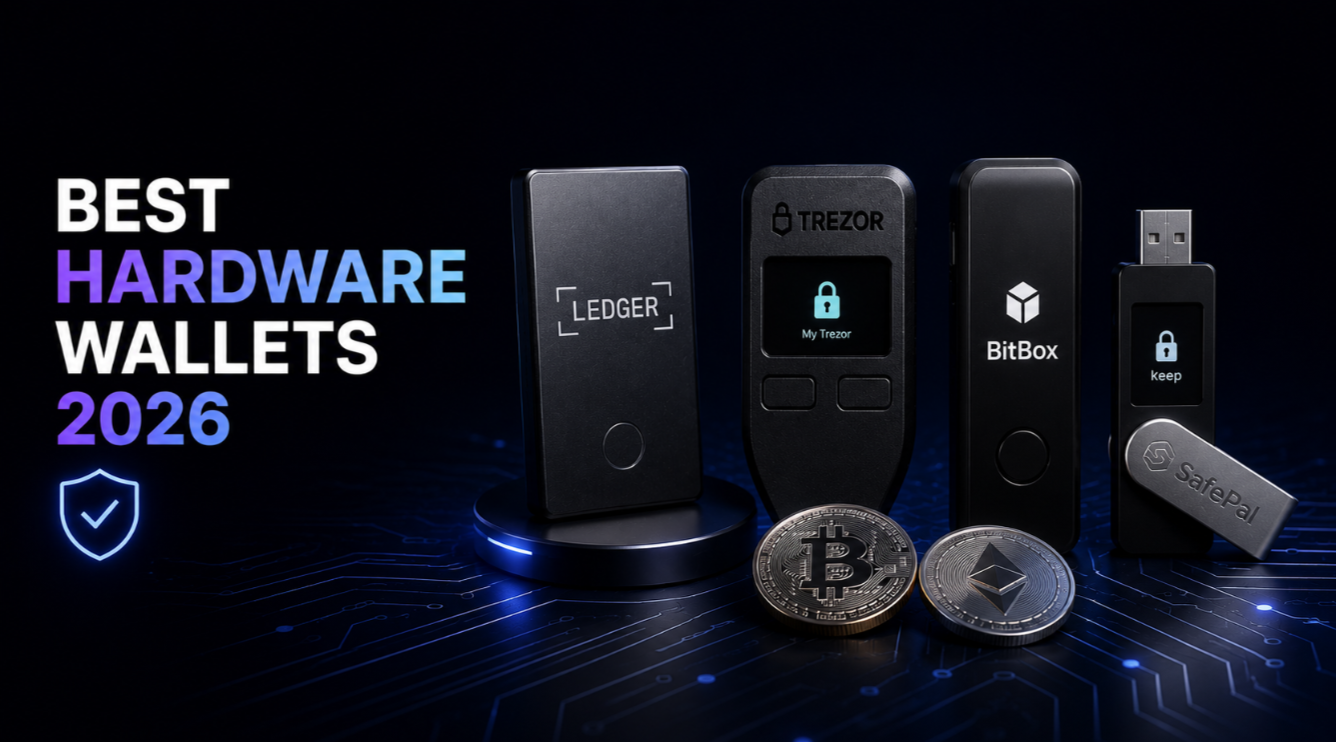
- Ledger Nano X ($149) — SE CC EAL5+, Bluetooth, 5,500+ coins, closed firmware
- Ledger Stax ($279) — SE CC EAL5+, Bluetooth, E Ink touch screen, closed firmware
- Trezor Safe 5 ($169) — SE ATECC608B, USB-C only, 8,000+ coins, fully open source
- BitBox02 ($149) — dual-chip SE, USB-C, Bitcoin-only or multi, fully open source
- Keystone 3 Pro ($169) — air-gapped QR, 3× SE chips, fingerprint, open source
- SafePal X1 ($49) — air-gapped QR, 30,000+ tokens, closed firmware
- NGRAVE Zero ($398) — air-gapped QR, CC EAL7, highest certification available
For exchange and custody service rankings that complement hardware storage, see our wallet ratings page. For context on what you are protecting, the Bitcoin market page and Ethereum market page show current valuations.
This article is for informational purposes only and does not constitute financial or security advice. Always verify wallet software and firmware from official sources. Cryptocurrency assets carry significant risk of loss.